FlexTV Review
Licensed and original series with the priciest weekly plan
FlexTV is the last name in our top ten. Its catalogue is more varied than its rank suggests, but subscription terms and pricing hold it back.

First look
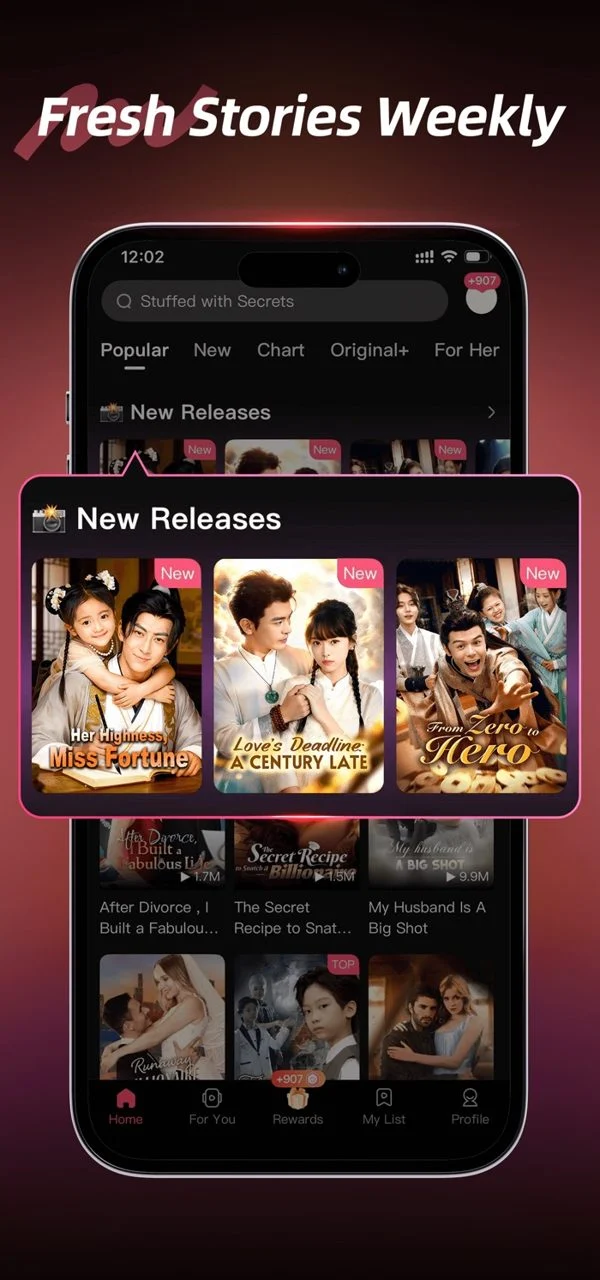
FlexTV on mobile
Short dramas, reels and mini TV series, mixing originals with licensed titles from the West and across Asia.
Open FlexTVScore breakdown
- Catalogue 3.3
- Free viewing 3.2
- Price fairness 2.2
- Cancelling 2.8
- Transparency 2.9
- Privacy & safety 3.1
What we like
- Mix of originals and licensed series from several regions
- The FAQ openly says early episodes of many series are free
- Web viewing on desktop and mobile
- Plain-English FAQ on how access works
Watch out for
- Highest iPhone weekly price among our bottom five
- All payments final, billing errors reportable only briefly
- Terms contain wording copied from another service
- No Google Play or web cancel steps on official pages
A different mix of series
FlexTV stands out from the romance-only pack by advertising licensed drama from the West, Korea, Japan, China and Southeast Asia next to its own originals. The store text covers short dramas, reels and mini TV series. The FAQ lists seventeen languages, while the iPhone listing shows fifteen.
If DramaBox is the supermarket, FlexTV is the corner shop with an odd import aisle. It is the one app here where licensed content is a headline feature rather than an afterthought.
The company is Yuder, based in Singapore, and its terms follow Singapore law with arbitration there, which is at least a clear legal home.
What is free
The FAQ gives the clearest free-access statement in this batch: the first stretch of many series is unlocked free, and the rest may call for coins, a plan, ads or VIP. HD playback is a VIP perk. On the website homepage you will find a Watch Free button with web viewing, and both store listings note that the app contains ads.
No official page says how many episodes count as early, and none publishes coin pack contents or what one episode costs. The iPhone listing shows several unnamed one-time purchases that are probably coin packs, but that is our inference.
Treat the free route as the main attraction: you can sample a series, judge the acting and pacing, and walk away without paying a cent.
The price problem
On iPhone both the weekly VIP and the monthly VIP renew automatically. The weekly plan carries the highest weekly price among the five apps in this batch, which is why value is FlexTV's lowest sub score.
Under the terms, each payment is final whether or not you used it. Billing errors have to be reported by email within thirty days or they will not be refunded. Android prices are absent from the Play page. If you must pay, a short stint is safer than a long one.
For comparison, the monthly VIP costs less than four weekly payments, so anyone who really intends to subscribe would at least avoid the weekly trap.
How to cancel FlexTV
iPhone: end the renewal in your Apple ID subscriptions a day or more before the current period runs out. The listing and the terms agree on this.
Android: the Google Play page and the FAQ give no cancel steps. Use the subscriptions page in your Google Play account, and write to support if the plan does not show up.
Web: the site has a top-up button and offers web viewing, but neither the terms nor the FAQ describe a web subscription or its cancel route.
Account deletion works by emailing support, which then guides you. Nothing says deletion ends a plan, so cancel the plan first.
If the weekly renewal catches you off guard, contact support quickly, because the window for billing errors is short.
Age, privacy and paperwork quality
Stores rate FlexTV thirteen and up on iPhone and in a mid-level band on Android. The terms say it is not for under thirteens and allow users from thirteen to eighteen only with parental agreement and a supervised account. The privacy label declares tracking identifiers, and the policy covers targeted advertising built on advertising IDs.
One more oddity: the terms of service name another service, a sign of template text. It does not change the app, but it shows how much care went into the paperwork.
FlexTV beside the other nine
Next to GoodShort, FlexTV is dearer and vaguer, but its licensed catalogue gives it a niche the others skip. Next to NetShort, it is much smaller, and its web viewing option is the nearest thing to a trial without installing anything.
That makes FlexTV a decent second app for someone who already has a favourite and wants something different, and a poor first app for anyone who intends to pay.
Verdict: is FlexTV worth it?
FlexTV closes our top ten because its paperwork is the thinnest and its weekly price the highest. The mix of licensed and original series makes a nice change, and the FAQ is honest about free episodes. Stay on the free tier and think twice before subscribing.
Try FlexTV freeFlexTV FAQ
Is FlexTV free?
Per the FAQ, opening episodes of many series cost nothing, while the rest may need coins, a plan, ads or VIP. The number of free episodes is not published.
Does FlexTV offer licensed shows?
Yes. The App Store text describes licensed drama from the West, Korea, Japan, China and Southeast Asia alongside the app's own originals.
Can I get a refund from FlexTV?
The terms make every payment final, used or not, with no refund. Billing errors must be reported by email within thirty days of the charge.
Is there AI-generated content on FlexTV?
No official material we read mentions AI-generated series, so we make no such claim about FlexTV.

Alternatives